
If you have ever published a great piece of content only to watch it sit on page five of Google, the problem might not be your writing at all. It could be technical SEO, the part of search optimization that happens behind the scenes, where search engines decide whether your site is even worth showing up.
Technical SEO doesn’t get as much attention as keyword research or link building, but it’s often the difference between a site that ranks and one that never gets the chance. This guide breaks down exactly what technical SEO is, why it matters, and how to check whether your own website is technically sound.
What Is Technical SEO?

Technical SEO is the practice of optimizing a website’s infrastructure so search engines can find, crawl, understand, and index its pages without running into obstacles. Instead of focusing on content or backlinks, it deals with the mechanical side of a site, things like site speed, mobile usability, URL structure, sitemaps, and how well search engine bots can move through your pages.
Think of it this way. On-page SEO makes your content easy for people to read and want to click on. Technical SEO makes sure Google’s crawlers can actually reach that content in the first place. If a search engine can’t crawl or index a page properly, it doesn’t matter how good the writing is. It simply won’t show up in search results.
Why Technical SEO Matters for Rankings
Google has said for years that a fast, well-structured, mobile-friendly website is part of a good user experience, and user experience is a ranking factor. But there’s a more basic reason technical SEO matters: if your site has crawl errors, broken links, or indexing issues, your pages may not appear in search results at all, no matter how strong your content is.
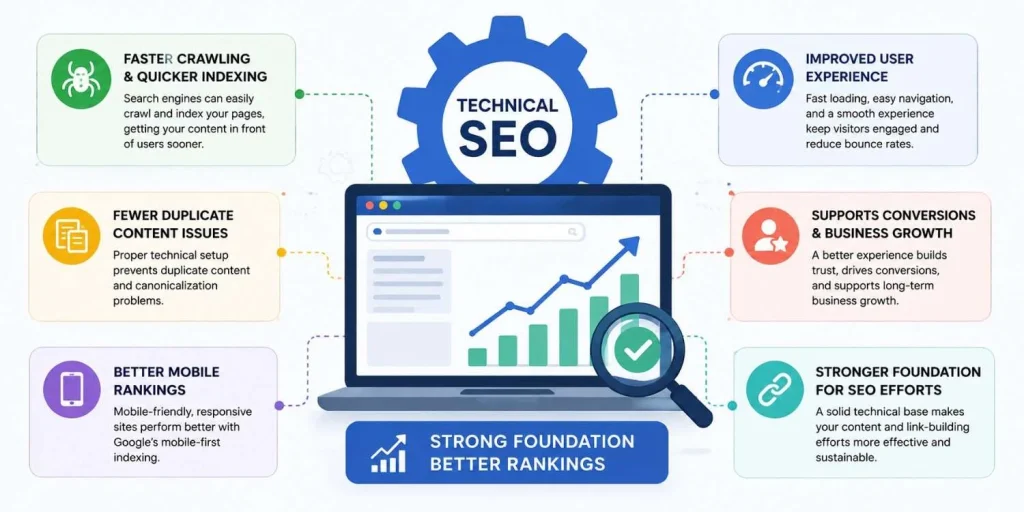
A site with solid technical SEO tends to see:
- Faster crawling and quicker indexing of new content
- Fewer duplicate content or canonicalization issues
- Better mobile rankings, since Google primarily uses mobile-first indexing
- Improved user experience, which lowers bounce rates and supports conversions
- A stronger foundation for content and link-building efforts to actually pay off
In short, technical SEO is the foundation everything else is built on. Skipping it is a bit like decorating a house before checking whether the plumbing works.
Core Elements of Technical SEO
Technical SEO covers a lot of ground. Here are the pieces that matter most for a beginner to understand.
Website Crawlability
Crawlability refers to how easily search engine bots can navigate your site and discover your pages. If bots hit dead ends, broken links, or pages blocked by a robots.txt file, they simply won’t index what they can’t reach.
Common crawlability issues include:
- Pages accidentally blocked in robots.txt
- Broken internal links or excessive redirect chains
- Orphan pages with no internal links pointing to them
- Poor site structure that buries important pages too deep
Fixing crawlability usually starts with a clean site structure and a logical internal linking strategy, so both users and bots can move through the site without friction.
Website Indexing
Once a page is crawled, it still needs to be indexed, meaning Google has decided to store it and consider it eligible to appear in search results. A page can be crawled but never indexed if it has thin content, duplicate content, or a noindex tag left on by accident.
You can check indexing status directly in Google Search Console under the Pages report, which shows exactly which URLs are indexed and which are excluded, along with the reason why.
XML Sitemap Optimization
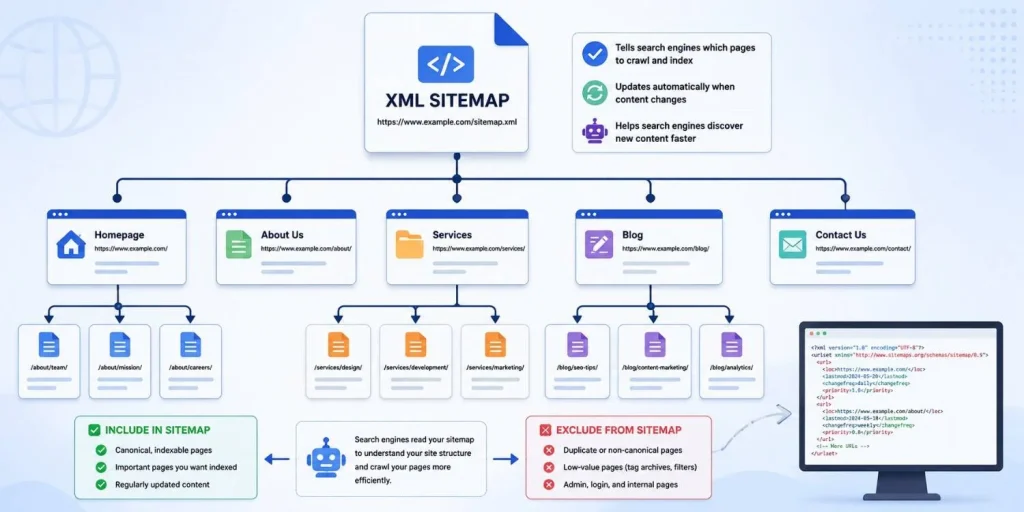
An XML sitemap is essentially a roadmap you hand to search engines, listing the pages you want crawled and indexed. A well-optimized sitemap only includes canonical, indexable URLs, updates automatically when content changes, and excludes low-value pages like tag archives or admin pages.
Submitting a clean, current sitemap through Google Search Console helps search engines discover new content faster, especially on larger sites where not every page gets crawled regularly on its own.
Core Web Vitals
Core Web Vitals are a set of performance metrics Google uses to measure real-world user experience:
- Largest Contentful Paint (LCP) measures loading speed. Aim for under 2.5 seconds.
- Interaction to Next Paint (INP) measures responsiveness. Aim for under 200 milliseconds.
- Cumulative Layout Shift (CLS) measures visual stability. Aim for a score under 0.1.
These metrics factor into Google’s page experience signals, which means a slow or visually unstable page can hold back rankings even when the content itself is strong. Tools like Google PageSpeed Insights and the Core Web Vitals report in Search Console make it easy to see where a site is falling short.
Site Architecture and Internal Linking
A flat, logical site structure helps both users and search engines understand how your pages relate to one another. Important pages should be reachable within two or three clicks from the homepage, and internal links should use descriptive anchor text rather than generic phrases like “click here.”
HTTPS and Site Security
HTTPS has been a lightweight ranking signal since 2014, and it’s also a basic trust factor for visitors. A site without a valid SSL certificate will often show a “Not Secure” warning in the browser, which can hurt both rankings and user trust at the same time.
Structured Data and Schema Markup
Schema markup helps search engines understand the context of your content, whether it’s a product, a review, an FAQ, or an article. It doesn’t guarantee rich results, but it does improve the odds of earning them, and rich results tend to stand out more in search listings.
Mobile-Friendliness
Since Google switched to mobile-first indexing, it primarily uses the mobile version of a site to determine rankings. A site that looks great on desktop but breaks on mobile is going to struggle, regardless of how strong the content is.
How to Perform a Technical SEO Audit
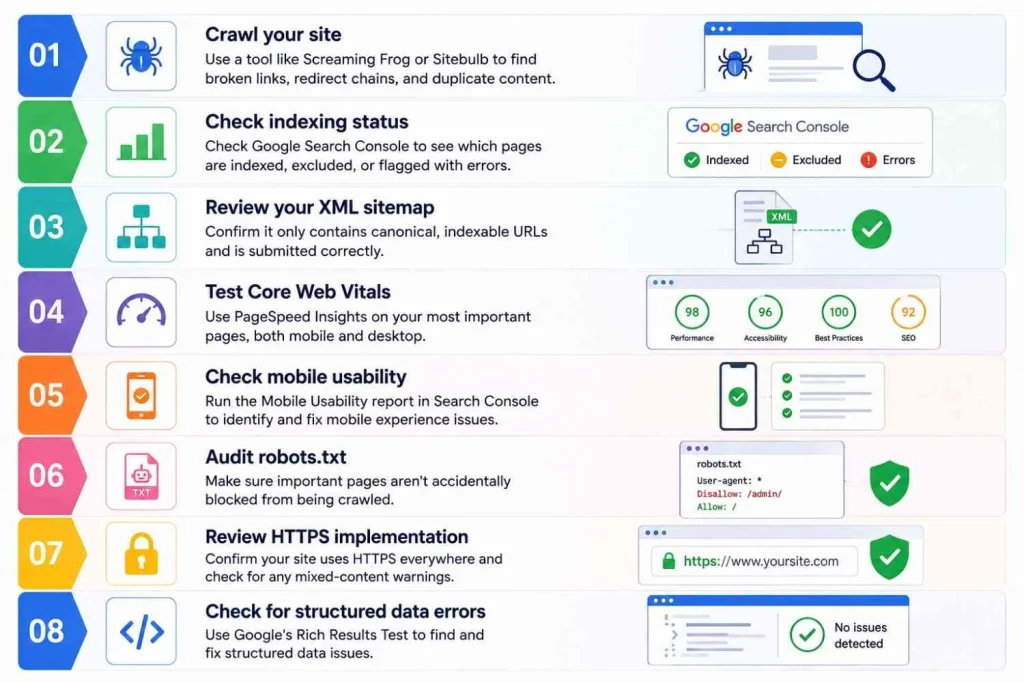
A technical SEO audit is simply a structured review of all the elements above, done to find and fix issues before they hurt rankings. Here’s a beginner-friendly process:
- Crawl your site using a tool like Screaming Frog or Sitebulb to find broken links, redirect chains, and duplicate content.
- Check indexing status in Google Search Console to see which pages are indexed, excluded, or flagged with errors.
- Review your XML sitemap to confirm it only contains canonical, indexable URLs and is submitted correctly.
- Test Core Web Vitals using PageSpeed Insights on your most important pages, both mobile and desktop.
- Check mobile usability through the Mobile Usability report in Search Console.
- Audit robots.txt to make sure important pages aren’t accidentally blocked.
- Review HTTPS implementation and confirm there are no mixed-content warnings.
- Check for structured data errors using Google’s Rich Results Test.
Running through this checklist regularly, not just once, helps catch issues early before they compound into bigger ranking problems.
Common Technical SEO Mistakes to Avoid
- Leaving a staging site or test pages indexable by accident
- Blocking CSS or JavaScript files in robots.txt, which can hurt how Google renders the page
- Ignoring broken internal links after a site redesign or URL change
- Ignoring page speed and Core Web Vitals until traffic starts dropping
- Forgetting to update the XML sitemap after major content changes
- Using duplicate title tags and meta descriptions across similar pages
Most of these mistakes are easy to fix once identified, but they’re also easy to miss without a regular audit process in place.
Technical SEO vs. On-Page SEO vs. Off-Page SEO
It’s worth being clear on how these three pieces fit together, since they’re often confused:
- Technical SEO focuses on crawlability, indexing, site speed, and infrastructure.
- On-page SEO focuses on content quality, keyword usage, headings, and meta tags.
- Off-page SEO focuses on backlinks, brand mentions, and external authority signals.
All three work together. A technically sound site with weak content won’t rank well, and a site with great content but poor technical health may never get the chance to show that content off. Real growth comes from addressing all three areas, not just one.
A Real Example of Technical SEO in Action
Technical fixes tend to have an outsized impact when a site has been neglected for a while. In one case study, fixing crawl errors, correcting sitemap issues, and improving Core Web Vitals played a direct role in helping a client site achieve over 694 percent organic growth in six months. You can read the full breakdown in the Abedin Tech SEO case study, which walks through the exact technical issues that were found and fixed.
For a look at how technical fixes combine with local SEO strategy, the Negi & Nori SEO case study is another useful example, showing how a cleaner technical foundation supported a 12,781 percent increase in traffic over a year.
How Often Should You Run a Technical SEO Audit?
For most websites, a full technical audit every three to six months is a reasonable cadence, with lighter monthly checks on crawl errors, indexing status, and Core Web Vitals in between. Sites that publish frequently or go through regular design changes should audit more often, since new pages and code changes are common sources of new technical issues.
If ongoing monitoring isn’t something you have time for internally, it’s often handled as part of a broader monthly SEO service, where technical health is tracked alongside content and link-building work rather than treated as a one-time fix.
Conclusion
Technical SEO isn’t the most exciting part of search optimization, but it’s the part that determines whether everything else you do even has a chance to work. Crawlability, indexing, sitemap health, and Core Web Vitals might sound like small details, but together they decide whether your site is visible to search engines at all.
If you’re not sure where your own website stands, an audit is the best place to start. Learn more about Sanzu Mia’s SEO background and approach, browse real SEO case studies to see technical fixes in action, or get in touch to talk through what a technical SEO audit could uncover on your own site.
Frequently Asked Questions
What is technical SEO in simple terms?
Technical SEO is the process of optimizing a website’s backend and infrastructure, things like site speed, crawlability, indexing, and mobile usability, so search engines can properly access and rank its pages.
What is included in a technical SEO audit?
A technical SEO audit typically checks crawlability, indexing status, XML sitemap accuracy, Core Web Vitals, mobile usability, HTTPS setup, and structured data, then flags issues that need fixing.
What is the difference between technical SEO and on-page SEO?
Technical SEO deals with how well search engines can crawl and index a site, while on-page SEO focuses on content, keywords, and meta tags within individual pages. Both are needed for a page to rank well.
How do Core Web Vitals affect SEO?
Core Web Vitals measure loading speed, interactivity, and visual stability. They are part of Google’s page experience signals, so poor scores can hold back rankings even when content quality is strong.
How do I know if my website has technical SEO issues?
Google Search Console is the fastest way to check. Its Pages, Core Web Vitals, and Mobile Usability reports will flag most common technical issues, including indexing errors and slow-loading pages.